Where the Stake Promo Code XPUMP Goes Compared to Guessing Your Way Through Registration
Video: Still Guessing Where the Stake Promo Code XPUMP Goes? Here's the Trick
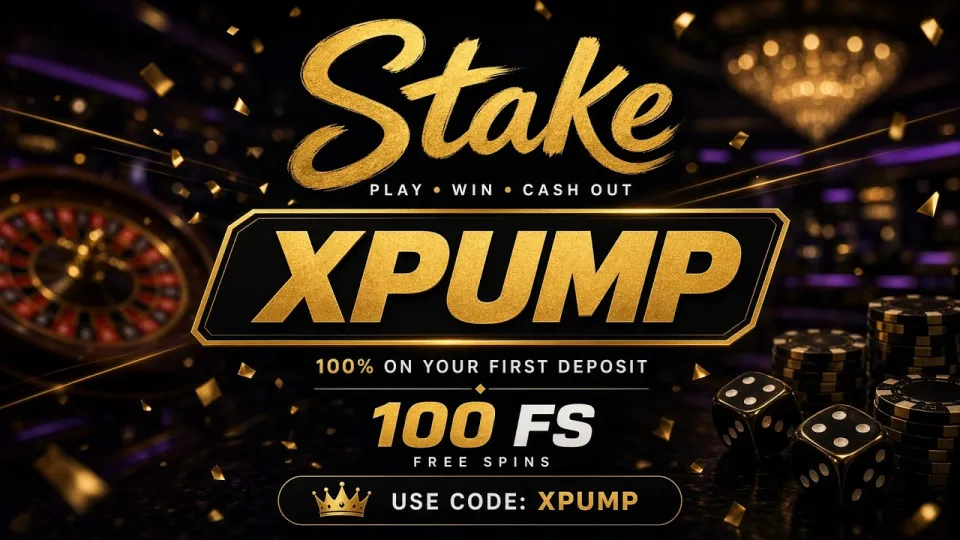
The Stake promo code XPUMP belongs in the promo or bonus code field that appears during sign-up or in the deposit screen, and it has to be entered before you confirm your first deposit. Typing it after the money has already landed does nothing, which is why so many players assume the code is broken when it is simply in the wrong place at the wrong time. The code itself unlocks a 100% bonus on the first deposit when it is applied through the Stake sign-up page.
Where the Stake promo code XPUMP actually goes
The promo field is part of the cashier flow, not the profile menu, and that single fact explains most failed attempts. When you create an account through a referral or affiliate link, the code is often pre-filled and you only need to confirm it; when you register directly, the field has to be filled in manually before the deposit is submitted.
- Open the registration or deposit screen through the link that carries the code.
- Look for a field labelled promo code, bonus code or referral code — it usually sits below the amount selector.
- Type XPUMP exactly, in capitals, with no spaces before or after.
- Enter the deposit amount and confirm, so the code and the payment are submitted together.
- Check the bonus balance or the transaction history afterwards to confirm the 100% match was credited.
If the field is missing entirely, the page was probably opened without the referral parameter; reloading through the correct link restores it. The same logic applies to any promo code for Stake: the code is a parameter of the deposit, not a setting you can flip later.
Why entering the code after a deposit never works
A first-deposit bonus is calculated at the moment the payment is processed, so a code added afterwards has nothing left to attach to. This is the single most common complaint about the XPUMP code, and it is a sequencing problem rather than a technical one.
- The bonus is tied to the first deposit only; later deposits are not matched by the same offer.
- Once the first deposit clears without a code, the welcome bonus slot is treated as used.
- Support cannot usually retro-apply a code to a completed transaction, so the practical fix is a fresh account registered through the correct link.
- Deposits made with certain payment methods may be excluded from bonus eligibility, so check the terms before funding.
In short, the code has to travel with the money. Any walkthrough that tells you to deposit first and paste the code second is describing the exact order that causes the failure.
Stake XPUMP walkthrough in practice
The cleanest path is to register through the code-carrying link, confirm the pre-filled code, then deposit in one sitting. Doing it in one session avoids the classic trap of registering on a phone, getting distracted, and coming back days later to deposit from a different device where the referral parameter was never stored.
On mobile, the promo field sometimes sits below the fold on the deposit sheet, so scroll before assuming it is absent. On desktop, it appears in the same panel as the payment method selector. Either way, the confirmation screen should show the bonus before you finalise the payment — if it does not, back out and re-enter the code rather than completing the deposit and hoping for the best.
Common doubts about the XPUMP promo code
Most hesitation around this code comes from people who have already been burned by entering it too late, or who are unsure whether the code and the link are two separate things. They are not: the link carries the code, and the manual field is the backup for anyone who registers without it.
Another frequent worry is whether the code still works at all, given how many outdated lists circulate. The XPUMP code is the current one tied to the 100% first-deposit offer, and the reliable way to confirm it is live is to check that the bonus appears on the deposit confirmation screen before you commit funds. A code that is expired or mistyped simply produces no bonus line, which is an easy signal to catch before paying.
A third doubt concerns existing accounts. If you already deposited once, the welcome offer is behind you, and no amount of code entry will reopen it; the offer is structured for new players making their first deposit. Players who want the match should therefore treat registration and first deposit as a single, deliberate action rather than two separate errands.
Linking the code to the right page
The main link from the breakdown is https://kliky.cc/stake, and it is the page that carries the XPUMP code into the registration flow. Opening it is what makes the promo field pre-fill; typing the code manually on a page opened some other way is the fallback, not the primary route.
- Main sign-up and bonus page: https://kliky.cc/stake
There are no other links to track here, so the rule is simple: one page, one code, one first deposit. Bookmark the page before you start rather than searching for it mid-registration, because losing the tab is exactly how people end up on a plain registration form with an empty promo field.
Conclusion
The Stake promo code XPUMP is not hidden — it lives in the promo field of the sign-up and deposit flow, and it only pays out if it is submitted together with the first deposit. Register through the code-carrying page, confirm the pre-filled code, check that the 100% bonus shows on the confirmation screen, and only then pay. Anyone who deposits first and hunts for the field afterwards has already missed the window. The step-by-step breakdown in the video comes from the Sjwins channel, which walks through the exact placement of the field. Ready to claim it? Start at the Stake promo page and enter XPUMP before your first deposit.
Key takeaways
- The Stake promo code is XPUMP and it is entered before the first deposit, not after.
- The code unlocks a 100% bonus on the first deposit.
- The code field sits in the deposit or registration flow, not in account settings.
- A code applied after a deposit has already been made will not stick.
- The sign-up link tied to the code is https://kliky.cc/stake.
Questions & answers
Can I add the XPUMP code after I have already deposited?
No. The first-deposit bonus is calculated when the payment is processed, so a code entered afterwards has nothing to attach to. Once the first deposit clears without a code, the welcome slot is treated as used and support generally cannot retro-apply it.
Is the promo code the same thing as the referral link?
They do the same job by different routes. The link carries the code into the registration flow and pre-fills the field, while typing XPUMP manually is the backup when you register without that link. Either way the code must be in place before the deposit is confirmed.
Why can't I see a promo code field on the deposit screen?
The field usually appears only when the page was opened with the referral parameter, and on mobile it can sit below the visible area of the deposit sheet. Scroll down, and if it is still missing, reload through the code-carrying link rather than depositing blind.
How do I know the code was accepted before I pay?
The deposit confirmation screen should display the 100% bonus line before you finalise the payment. If no bonus appears, the code was mistyped or not applied — back out and re-enter XPUMP instead of completing the deposit.
Source: Still Guessing Where the Stake Promo Code XPUMP Goes? Here's the Trick · Markdown version